Everything the sitter needs, in one link.
Write down the allergies, medicines, phone numbers and bedtime routine once. Each time you go out, send the sitter a card that opens on their phone. Nothing is stored on a server.
How it works
Fill it in once
Kids, allergies, medicines, who to call, your address and where things are. It stays on your phone and is ready next time.
Choose what to send and see it first
Tick the parts you want on tonight’s card. You see exactly what the sitter will see before anything is made. Add a code and an end time if you like.
Send one link
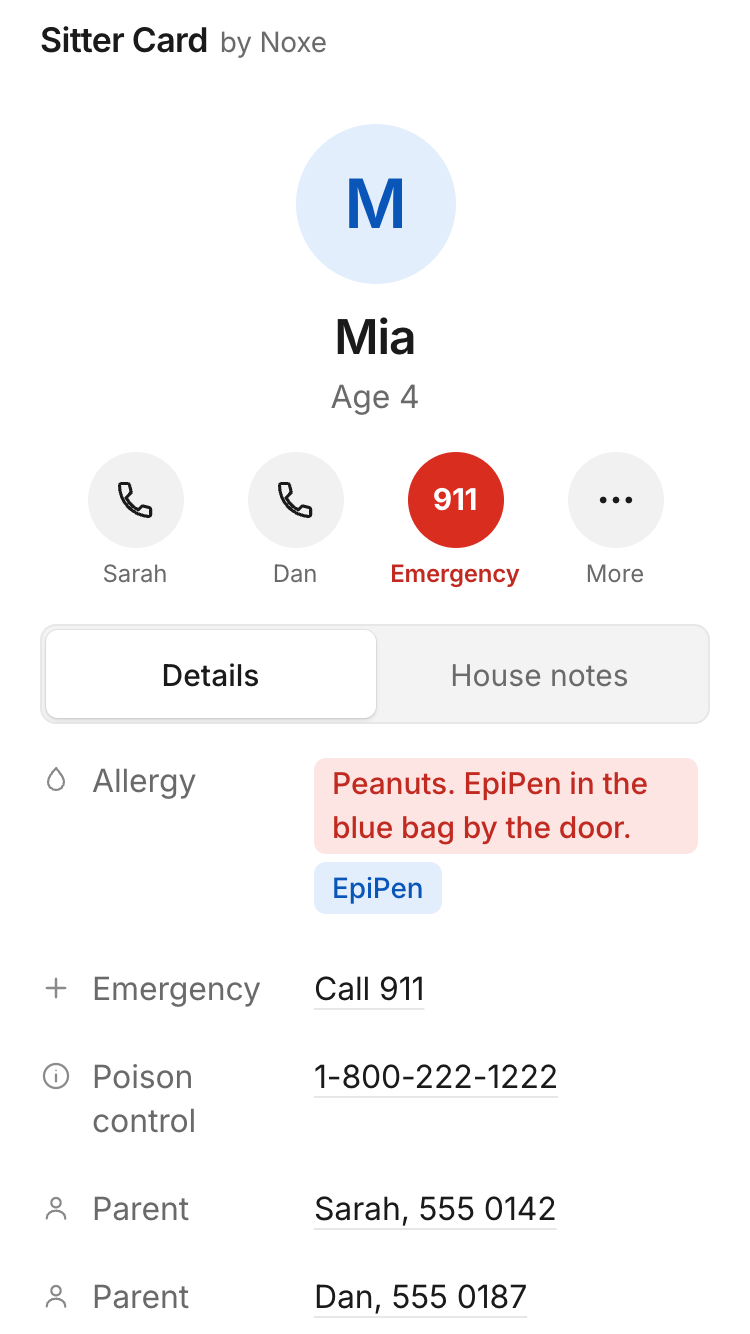
Share it, copy it or text it. The sitter taps it and sees allergies first, then Call buttons, then tonight’s plan. No app and no sign-up.
Why we made it
Every time we went out, we wrote the same notes in a rush, or left a crumpled page on the fridge. The important things, like the allergy and the doctor’s number, were buried in the middle.
We wanted a card that puts the allergy first, makes calling one tap, and doesn’t need the sitter to install or sign up for anything.
Where your details live
Your details stay on your phone. The card travels inside the link itself, so we never receive it and there is no account to make. Be aware that the link holds the whole card: anyone who has it (and the passcode, if you set one) can read it. Only send it to the sitter.
Questions
Does the sitter need to install anything?
No. The link opens a page in their phone’s browser. They can add it to their home screen if they want.
Where is the card stored?
Nowhere on our side. The card is packed into the link, after the # sign, which browsers never send to a website. Your own details stay on your phone.
Can anyone else read it?
Anyone who has the link can, because the link holds the card. The card is locked with a passcode of four random words by default. That strongly protects the card if the link is forwarded or seen by someone else, for as long as the card lasts, and a longer passcode is safer still. It is not unbreakable. Say the passcode out loud or send it in a separate message, never in the same text as the link. Send the link only to the sitter.
What if I send it to the wrong person?
The card stops opening at the end time you chose, but we can’t take a link back before then. That’s why the card is locked with a passcode by default, and why an early end time helps.
What happens when the time is up?
The link shows “This card has ended. Ask the family for a new one.” The default is tomorrow at noon. Be aware that without a passcode, someone who has the link and knows how could change the end time inside it. With a passcode the end time is locked in and can’t be changed.
Does it work without signal?
Yes, once the card has been opened. If the sitter taps “Keep on this phone until it ends”, it can be opened again offline until the end time.
Should I put the Wi-Fi password or door codes on it?
Wi-Fi is optional, with a warning. Please don’t put door or alarm codes on a card. Tell the sitter in person.
Can I print it?
Yes. “Print for the fridge” makes a clean black and white page.
Is this medical advice?
No. It simply passes along what you already know about your child. In an emergency, call your local emergency number.
What does it cost?
It’s free.